How to make the most of UNIVERSAL GPS tracker Mala
GPS tracker Mala Universal
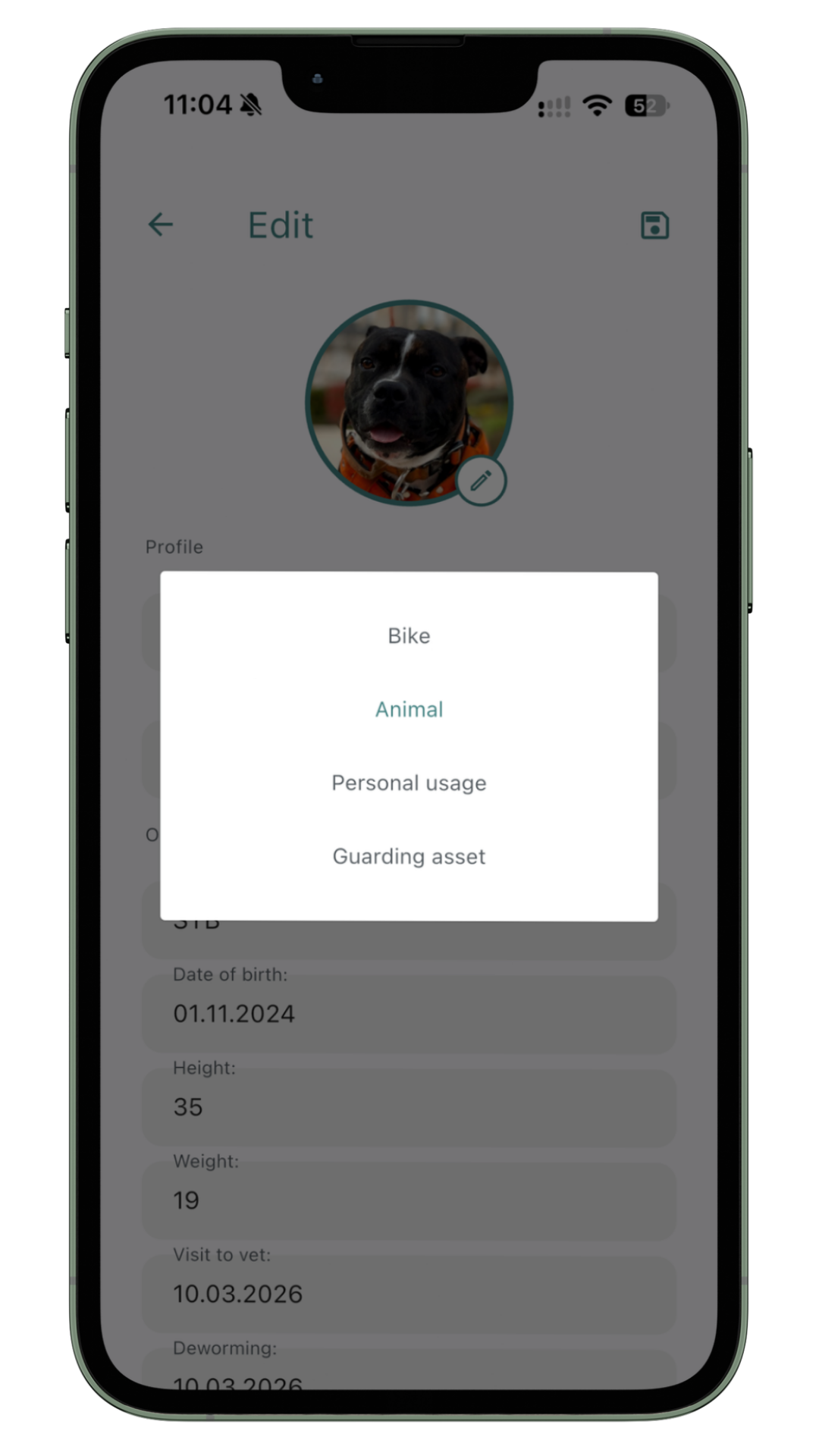
Choose your profile
the Mala Universal tracker adapts exactly to your needs. Choose the profile that matches what you want to track — and discover which modes are available to you.
Animal profile
For dogs, cats, horses and other animals. Track their movements, set up a geofence and stay calm no matter where they are.
Learn more about Animal profile →
Bike profile
For bikes, e-bikes and scooters. Track your bike's movements, record routes and be the first to know if something happens to it.
Learn more about Bike profile →
Personal profile
For children, seniors, athletes and hikers. Keep track of your loved ones, record routes and ski with peace of mind.
Learn more about Personal profile →
Asset profile
For cars, motorcycles, caravans, tools and valuable assets. Monitor vibrations, movement and get instant alerts when an alarm is triggered.
Learn more about Asset profile →How to switch profile in the app?
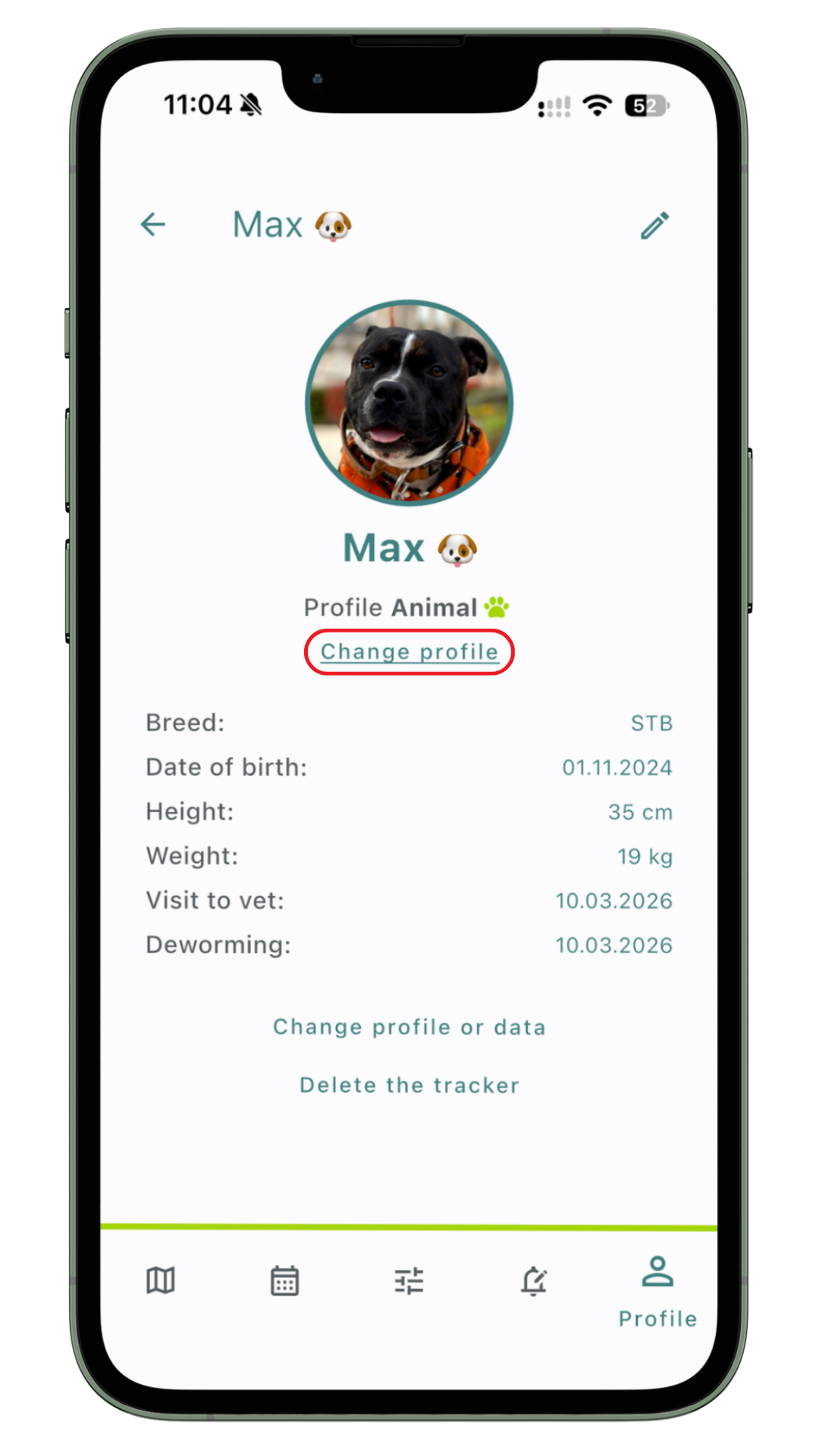
Switching profiles is easy — just a few taps in the Mala GPS app. You can change your profile anytime depending on what you need to track.
- Open the Mala GPS app
- Select your tracker
- Go to the Profile tab
- Tap Change profile
- Select the desired profile from the list